Know where you stand
A race clock from the gun, your margin at the next cutoff, and a projected finish against your plan. On every leg, in the same place.
Garmin Connect IQ data field · 140.6 / 70.3 / Olympic
One field for the whole race.
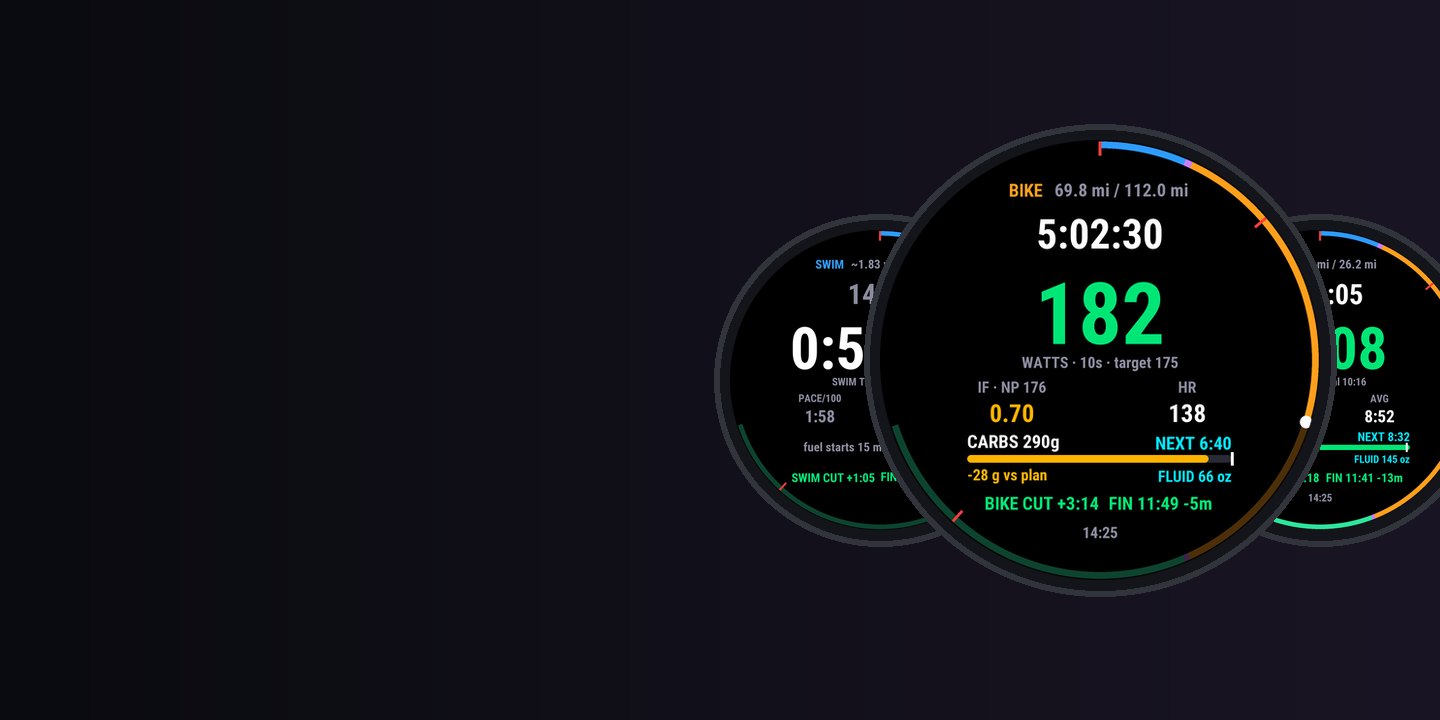
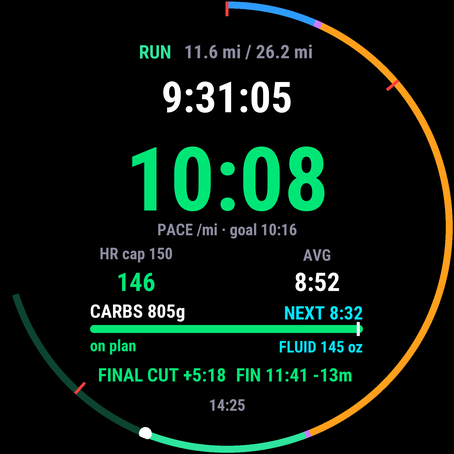
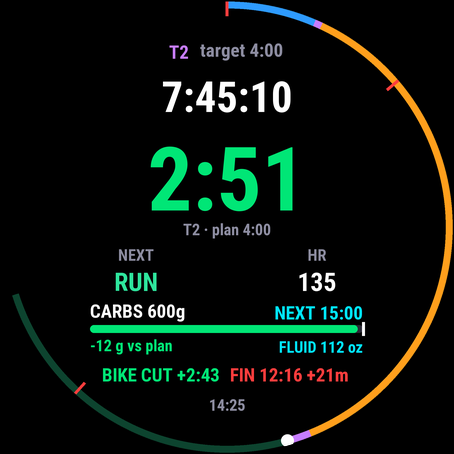
Garmin times your triathlon. TRI HUD tells you where you stand: one full-screen field that switches between swim, T1, bike, T2 and run by itself, with your race clock, cutoff margins, projected finish and a fuel ledger that shows how many grams you’re behind your plan.
by falkster · one-time purchase, no subscription
What it is
You add TRI HUD to every leg of Garmin’s own triathlon activity. It knows which leg you’re in and shows the three things that decide a long day: where you stand against the clock, whether you’re fuelling to plan, and whether you’re pacing the leg you’re in.
A race clock from the gun, your margin at the next cutoff, and a projected finish against your plan. On every leg, in the same place.
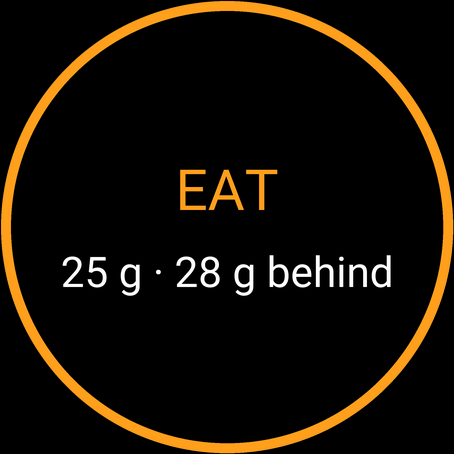
Prompts worked out from your gel size and grams per hour, on race time. The screen shows how far behind your plan you are, in grams.
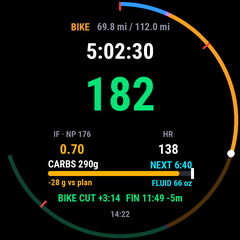
Smoothed power and IF on the bike, pace and an early HR cap on the run, transition time in T1 and T2. Green, amber or red at a glance.
Why it matters
Most triathletes don’t blow up because they lack data. They blow up because the numbers that matter, against their own plan, aren’t on the screen when they need them.
62–71 g/h
What age-groupers measured at Ironman actually ate, on average. Those who ate more finished faster. Most athletes don’t lack a plan; they fall behind it, a missed gel at a time.
0 s
Garmin’s leg timers restart at every transition, and its total-time field can’t be read by Connect IQ fields. At mile 20 you’re doing cutoff maths in your head.
Mile 1
Coaches agree the Ironman marathon is lost early: the first mile should be at most about 5% faster than goal pace. TRI HUD turns your pace red when you’re faster than that in the first kilometres.
2 slots
Most Garmin watches run only two Connect IQ fields at a time. A race clock, a gel timer and a run predictor don’t fit. TRI HUD does all of it in one slot, leaving the other for your power or core-temperature field.
Sources: Pfeiffer et al., Nutritional intake and gastrointestinal problems during competitive endurance events (2012, 221 athletes); Garmin Connect IQ developer forum; 80/20 Endurance on Ironman marathon pacing.
Features
Big numbers, one colour code, and nothing that buzzes unless it matters. Every prompt and warning is spaced out so they never stack up.
Every number that has a target is coloured against it, so you can read the screen at an angle, on the aero bars, without reading the digits.
Screenshots
Setup
Do it once, a week before the race, and rehearse it on a long ride.
Get TRI HUD from the Connect IQ Store on your phone and send it to your watch.
In the Connect IQ app, open TRI HUD’s settings. Pick the distance, enter your FTP and your fuel numbers (gel size, grams per hour on the bike and the run, fluid per hour). Plan splits and cutoffs fill in from the distance; change them for your race.
On the watch, open the Triathlon activity’s settings and, for each leg (swim, transition, bike, run), add a data screen with a one-field layout and choose TRI HUD under Connect IQ. Make sure Transitions are on. Menu names vary a little by watch.
Ride or run with it before race day. On its own, a ride or run becomes a training session: the leg against its planned time, fuel prompts included.
Every setting, its default and what the coaching research says about it is in the guide.
Race day
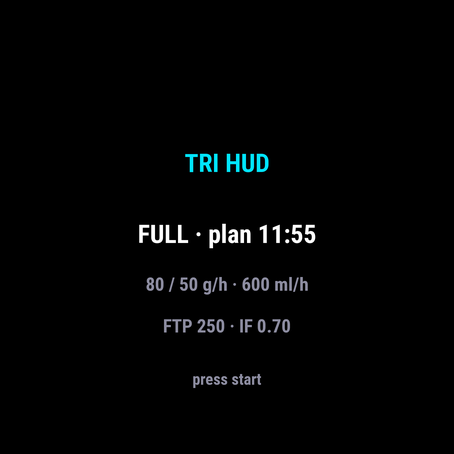
Open the triathlon activity. The ready screen shows your distance, your planned finish, your fuel targets and your FTP. If something is wrong, fix it in the phone settings now, not in T1.
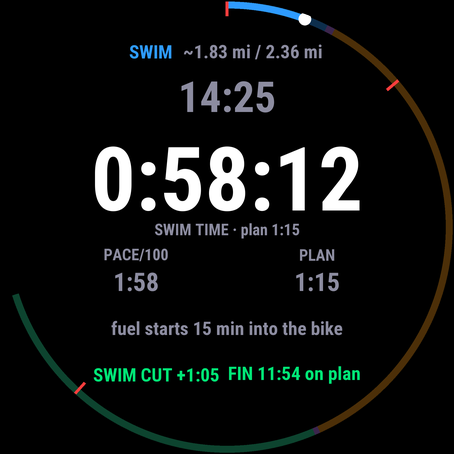
Look at the big swim time and the swim cutoff margin, nothing else. Pacing the swim is by feel; TRI HUD keeps quiet.
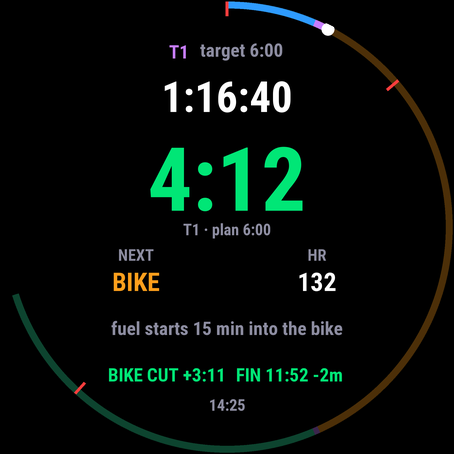
The transition time turns amber past your target and red at one and a half times it. The screen says what comes next.
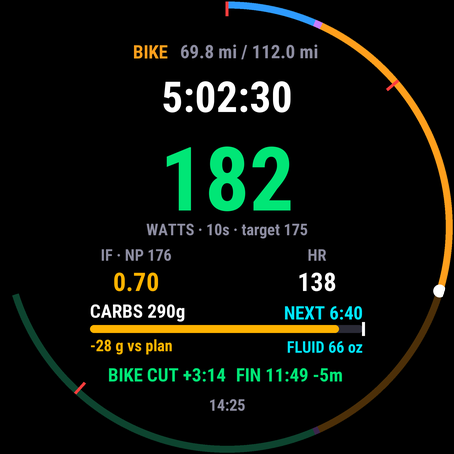
Ride the colour: green is on target, amber is above, red is over your cap. When it buzzes “EAT”, eat. Watch the grams-behind number. If it grows, you’re falling behind your plan, the one mistake you can’t fix on the run.
Red pace in the first kilometres means slow down. Keep HR under the cap (lower for the first 10 km). Late in the race, the bottom line tells you your margin at the final cutoff and your projected finish.
A mis-detected transition or a crash doesn’t reset TRI HUD: the race clock runs from the start and the ledger is saved every 90 seconds. Keep going.
Tap logging and Lock Device. If you lock the watch during the race, taps don’t reach the field. In tap mode an untapped prompt then counts as missed. Use “prompts count as taken” if you race with the lock on.
Devices
Connect IQ 4.2 or later. The Connect IQ Store page lists every supported model.
255, 255 Music, 255S, 255S Music, 265, 265S, 570 (42 and 47 mm), 955, 965 and 970.
fenix 7, 7S, 7X and their Pro and Solar editions, fenix 8 (43 and 47/51 mm AMOLED, Solar, Pro), fenix 9 and 9 Pro (43, 47, 51 mm, Solar), fenix E.
epix (Gen 2), epix Pro (42, 47, 51 mm), Enduro 3 and 4, Instinct 3 AMOLED (45 and 50 mm), Instinct Crossover AMOLED.
MARQ (Gen 2), MARQ Aviator, MARQ (Gen 3), D2 Mach 1 and 2 (and Pro), Descent Mk3 (43 and 51 mm), and the tactix editions of these watches.
Privacy
TRI HUD has no internet permission, no account and no server. It can’t send anything anywhere.
Carbs and fluid taken are written into your own activity file, which syncs to Garmin Connect like the rest of your race.
Your plan lives in the field’s settings on your watch and in Garmin’s Connect IQ app. Privacy policy.
FAQ
No. You keep recording with Garmin's own triathlon activity: transitions, laps, per-leg files and everything Garmin Connect shows afterwards. TRI HUD is a data field on top of it, the one screen you look at.
In a triathlon activity each leg (swim, T1, bike, T2, run) is its own sport profile with its own data screens. Add TRI HUD as a one-field screen to each of them. It keeps its race clock and fuel ledger across legs, so even a leg where you forgot to add it doesn't reset anything.
Garmin doesn't let data fields read buttons, and LAP moves you to the next leg, so TRI HUD never uses LAP. By default a prompt counts as taken. On touch watches that pass taps to data fields, switch Fuel logging to “Tap the field”: a tap logs the item that's due, and an untapped prompt repeats (twice, four minutes apart) while the grams-behind number grows. A tap with nothing due logs an extra portion and restarts the interval, for the gel you took early.
No. Garmin doesn't make them available to Connect IQ fields. TRI HUD uses what is available: heart rate, power, pace, distance, time, and your own plan.
The race clock is anchored to the start of the activity, not to leg timers, and the race state and fuel ledger are saved every 90 seconds and at every leg change. After a crash or “resume later” within 20 hours, TRI HUD carries on where it was.
Yes. Pick Full, Half or Olympic and the distances, plan splits and cutoffs fill in. Custom lets you set everything yourself, for races with their own cutoffs.
Yes, and you should, before race day. An activity that doesn't start with a swim becomes a session: the long ride or run is judged against its planned leg time, with the same fuel prompts. Rehearse your fuelling with it.
Open-water GPS on recent watches is usually within a few percent, but it varies. That's why the swim screen leads with time and marks the distance with ~.
$4.99 once, through Garmin's Connect IQ Store. No subscription, no account. Garmin handles payment and refunds.
Not yet: it's built for watches with a triathlon profile. If you ride with an Edge, keep TRI HUD on the watch: it keeps your race clock and fuel prompts running through the bike.